Home Recording for Beginners
A complete home studio costs $500-$800 in 2026. Here is the exact gear chain, interface, microphone, DAW, monitors, headphones, and why each piece matters.
Music Gear Specialist Review Desk
Gear Research & Analysis
ℹ️ Affiliate Disclosure: Music Gear Specialist earns from qualifying purchases through Amazon and other partner links. This doesn't affect our recommendations—we only suggest gear we'd use ourselves.
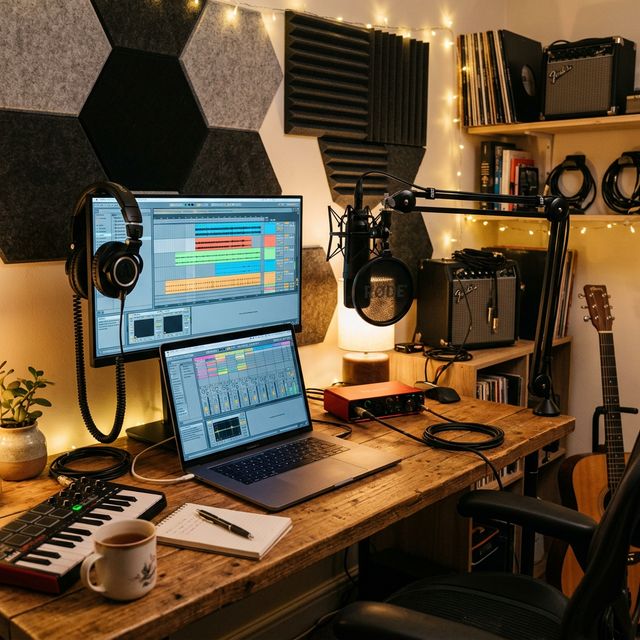
Recording music at home has never been easier or more affordable. In 2026, a complete beginner setup, interface, microphone, software, headphones, costs $500-$800 and produces results that rival what $10,000 studios delivered a decade ago.
The key is understanding the signal chain: your instrument or voice goes into a microphone, through an audio interface, into recording software on your computer, and back out through headphones or monitors. Every link in that chain matters, but some matter far more than others.
TL;DR: Buy a Focusrite Scarlett 2i2 ($170) + Audio-Technica AT2020 ($100) + Reaper (free trial) + Audio-Technica ATH-M50X ($150). Total: ~$420 for a professional-quality recording chain that handles vocals, acoustic guitar, electric guitar, and podcasting.
The Recording Signal Chain (In Order of Priority)
Here is what you need, ranked by how much each piece affects your final sound:
| Priority | Gear | Budget Pick | Price | Impact on Sound |
|---|---|---|---|---|
| 1 | Audio Interface | Focusrite Scarlett 2i2 (4th Gen) | $170 | 🔴 Massive, converts analog to digital |
| 2 | Microphone | Audio-Technica AT2020 | $100 | 🔴 Massive, captures the source |
| 3 | DAW Software | Reaper / GarageBand | $0-$60 | 🟡 Medium, where you edit and mix |
| 4 | Headphones | Audio-Technica ATH-M50X | $150 | 🟡 Medium, how you monitor |
| 5 | Acoustic Treatment | Moving blankets / foam panels | $50-$200 | 🟠 High for vocals |
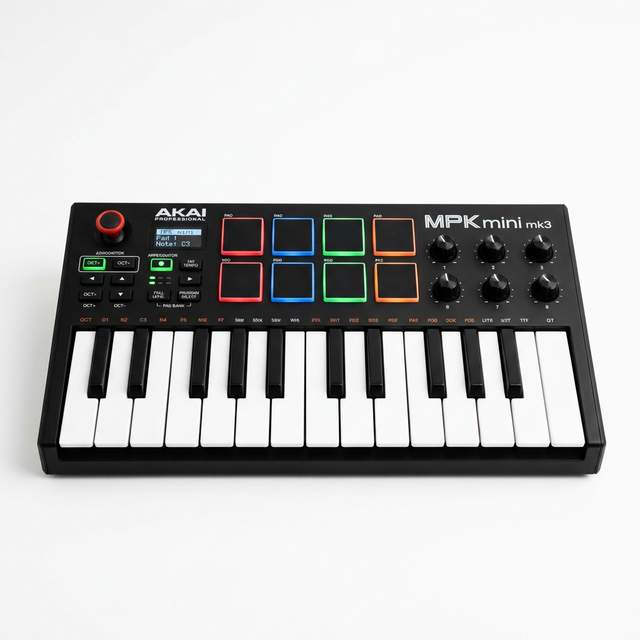
| 6 | MIDI Controller | Akai MPK Mini | $80 | 🟢 Low, for virtual instruments |
1. Audio Interface: Your Studio’s Hub
The audio interface is the single most important purchase you’ll make. It converts the analog signal from your microphone or guitar into the digital data your computer records. Cheap interfaces add noise, latency, and frustration. Good ones are transparent, you hear your instrument, not the electronics.
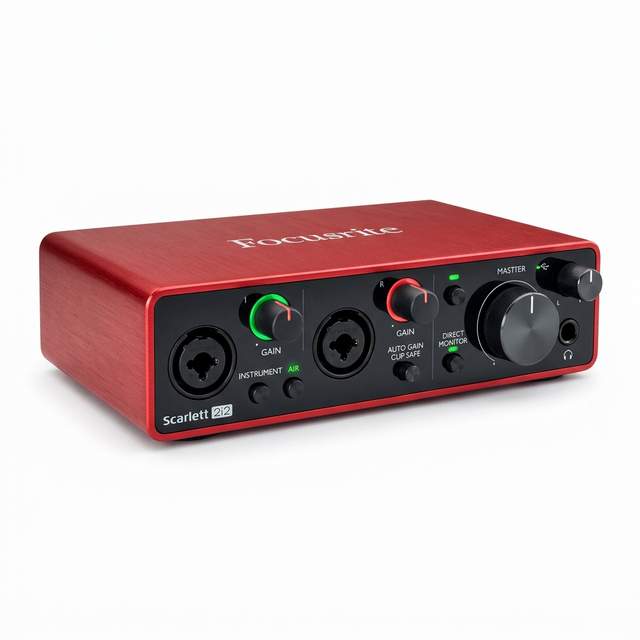
Our Top Pick: Focusrite Scarlett 2i2 (4th Gen), $170
The Scarlett series has been the #1 recommendation from Sweetwater, MusicRadar, and virtually every home recording guide for years. The 4th Gen upgrades include improved preamps with lower noise, USB-C connectivity, and Focusrite’s “Air” mode, a hardware button that adds a subtle high-frequency presence boost that makes vocals sound more “expensive.”
What you get: 2 inputs (one XLR for mic, one 1/4” for guitar/bass), 2 outputs, 48V phantom power for condenser mics, and a headphone output. It pairs with every DAW on every operating system.
Alternatives Worth Considering
- Audient iD4 MkII ($200): Uses the same preamp design found in Audient’s $5,000 professional consoles. Slightly better audio quality than the Scarlett, but only 1 input
- PreSonus AudioBox USB 96 ($100): The true budget pick, solid performance with MIDI I/O at the lowest price
- Arturia MiniFuse 2 ($130): Ultra-compact design perfect for laptop-based setups
2. Microphone: Capturing Your Sound
You have two main types to choose from, and the right choice depends entirely on your room:
Condenser Microphones (Best for Quiet Rooms)
Condensers are extremely sensitive, they capture every nuance of your voice or instrument, from breath textures to finger slides on acoustic guitar strings. This detail is what makes professional recordings sound “alive.” But that sensitivity also picks up room noise, keyboard clicks, and the dog barking downstairs.
- Audio-Technica AT2020 ($100): The go-to starter condenser. Clean, forgiving, and reliable
- Rode NT1 Signature Series / 5th Gen ($270): Exceptionally low self-noise. The 5th Gen has both USB-C and XLR outputs, record direct to your phone or through your interface
- Lewitt LCT 440 Pure ($250): Mid-range pick with excellent vocal clarity
Dynamic Microphones (Best for Untreated Rooms)
Dynamics are less sensitive, which sounds like a downside, but it means they naturally reject background noise. If your “studio” is a bedroom with thin walls and street traffic outside, a dynamic mic will give you cleaner results than a condenser.
- Shure SM57 ($100): The most versatile microphone ever made. Works on vocals, electric guitar cabs, snare drums, and acoustic instruments
- Shure SM7B ($400): The podcasting and vocal powerhouse. Needs a high-gain preamp (the SM7dB has one built in)
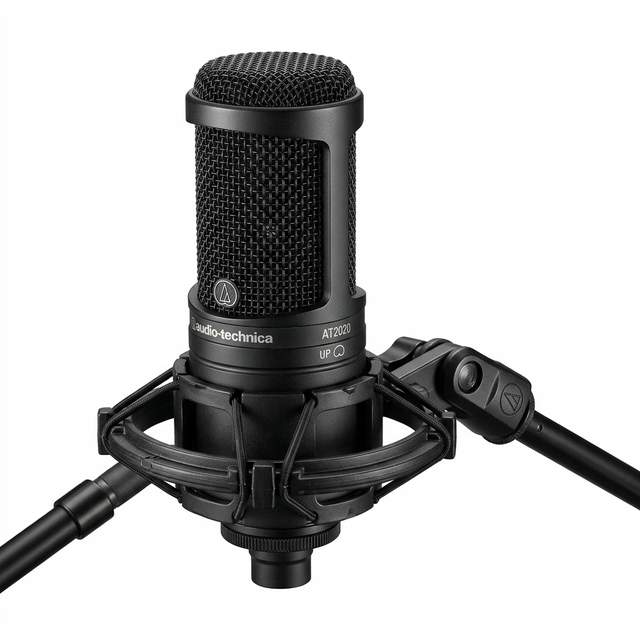
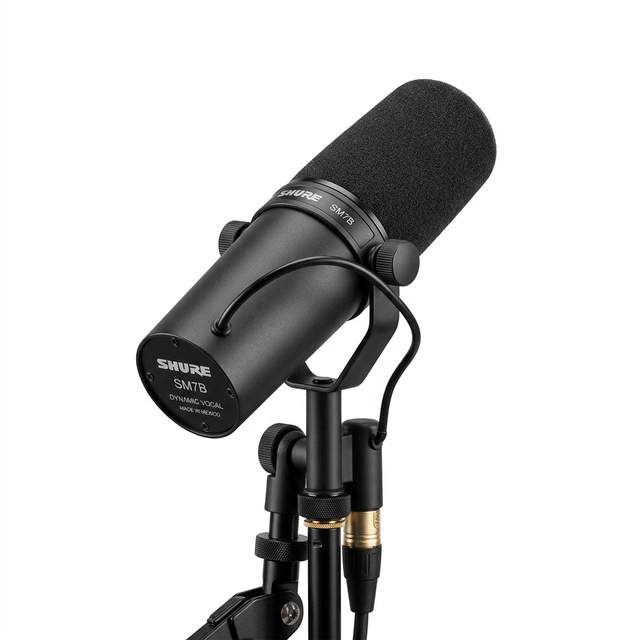
Our recommendation: Start with the Audio-Technica AT2020 ($100). It handles vocals, acoustic guitar, and podcasting beautifully. Add a Shure SM57 ($100) later when you want to mic guitar amps or drums, then you are covered for virtually any recording scenario with a $200 microphone collection.
3. DAW Software: Where the Magic Happens
Your DAW (Digital Audio Workstation) is where you record, edit, mix, and export your music. The good news: free options in 2026 are shockingly capable.
Free DAWs
| DAW | Platform | Best For |
|---|---|---|
| GarageBand | Mac/iOS | Absolute beginners, intuitive, built-in loops and instruments |
| Cakewalk by BandLab | Windows | Full-featured pro DAW that happens to be free |
| BandLab | Browser/Mobile | Collaboration and mobile recording |
| Waveform Free | All platforms | Cross-platform with unlimited tracks |
Paid DAWs (Worth It Later)
| DAW | Price | Best For |
|---|---|---|
| Reaper | $60 (unlimited trial) | Best value, does everything, extremely lightweight |
| Logic Pro | $200 (Mac) | Best all-in-one for Mac, incredible built-in instruments |
| Ableton Live | $99-$750 | Electronic music and live performance |
| FL Studio | $100-$500 | Beat making, comes with lifetime free updates |
| Studio One | $100-$400 | Simplifyd recording and mastering workflow |
Our experience: Start with GarageBand (Mac) or Cakewalk (Windows) to learn the basics. Once you hit their limits, and you will in 6-12 months, switch to Reaper ($60) or Logic Pro ($200). The workflows are different, but the core recording concepts transfer directly.
4. Headphones: Trust Your Ears
Studio headphones need a flat frequency response, meaning they do not boost bass or treble to make music “sound better.” Consumer headphones lie to you; studio headphones tell the truth. You need truth to make informed mixing decisions.
- Audio-Technica ATH-M50X ($150): The industry standard. Punchy, detailed, comfortable for hours
- Sony MDR-7506 ($100): Used in studios worldwide for decades. Incredibly accurate midrange
- Beyerdynamic DT770 Pro ($150): Most comfortable option for long sessions, excellent isolation
5. Optional But Useful: MIDI Controller
A MIDI keyboard like the Akai MPK Mini ($80) lets you play virtual instruments (drums, synths, pianos) directly into your DAW. It’s not essential for recording guitar or vocals, but it opens up songwriting possibilities, especially for adding drum beats, bass lines, and pad textures to your tracks.
The Bottom Line
Stop overthinking it. This exact setup will get you recording today:
- Focusrite Scarlett 2i2 ($170), your recording hub
- Audio-Technica AT2020 ($100), captures your voice and instruments
- Reaper or GarageBand ($0-$60), your production playground
- Audio-Technica ATH-M50X ($150), hear what you are actually recording
Total: $420-$480. That’s it. You’ll have a recording chain capable of producing broadcast-quality vocals, professional guitar tracks, and studio-grade podcasts. Upgrade your room with some acoustic treatment ($50-$200) once you’ve outgrown the basics, and add studio monitors when you are ready to mix on speakers instead of headphones.
The gear has never been this good or this affordable. The only thing left is to press record.
Keep Reading
- Best Guitar Amps for Home and Stage, the amp to mic up
- Best Electric Guitars for Every Budget, complete your recording rig
- Guitar Pedals Explained, shape your tone before it hits the interface
- Fender vs Gibson: Which Is Right for You?, pick the right guitar for recording
See also: How to Record Guitar at Home, Best Guitar Amps

Music Gear Specialist Review Desk
Research-based reviewsResearch-based reviews · Manufacturer specs · Verified owner feedback
We review guitars, amps, pedals, and recording gear the honest way: spec sheets, published measurements, and the collected experience of working musicians and verified owners.